

Workspace manager for your Mac
The Launchpad replacement
macOS 26 - 27 deserves.
LaunchMe brings automations, file search, live wallpapers, widgets, and deep customization into one beautiful full-screen launcher built for macOS 26 & 27.
Customizable · Live wallpapers · Automations · Widgets · Spaces

New feature
Hello
 Better together.
LaunchMe is incredible on its own. But when you use it together with Notch, they work wonders. Thanks to the seamlessly integrated Widgets and Spaces features, which let you customize your Notch with different backgrounds and layouts, and automatically switch between them along with your Spaces. Add apps, folders, or even workflow icons! It works just like magic!


Features
Everything Launchpad had.
And a lot it didn't.
A full-screen launcher built for the way you actually work. Search and open files, use Clipboard, and make it yours.
Files - Search, copy, delete, preview

Music Widgets
Spotify and Apple Music
with 3 customizable styles

Add Folders
Combine your apps with
fast access to folders

Clipboard
Easy access to history
of copied files and text

Calculator
Built into the search bar

Dynamic weather and sun wallpapers

Spaces
Create Spaces for any mood or scenarios

Workflows
One click will launch all apps and files you need

LaunchMe can be what you want
And even more

Categories cards. Find your recently used, hidden and other apps grouped by categories

Built for everyday tasks. Customize your LaunchMe to match your current workflow for work or study.

Apps & Widgets. Organize apps and widgets, to build the best control center on your Mac.

Spaces & Workflows. Save presets for any workflow and launch entire setups with one click.

Music widgets. Control Spotify and Apple Music with widgets and customize it the way you feel.

Files. Group apps with your work files to have fast access to everything for your projects.

Weather widgets. Eight styles, four sizes - unlimited ways to customize and check your weather
Customization
Make it yours
Customize LaunchMe to match your vibe - cozy, minimalistic, or anything you want.
Make it truly yours
Folder Styles
Colors, emoji, cover image

Icon customization
Change any app icons
to follow your style

Set custom wallpaper - static, dynamic or even LIVE

You Rule Here
Hide app names or
completely hide apps

Icon Size
Adjust icon size
to better fit your screen


System Icon Appearance
Dark | Light | Tinted

Clear Colored Icons
A unified style with Glass
and colored icons.


Set animated live wallpapers to match your mood in the moment. They'll make LaunchMe always fit your style and surroundings.
You can use MP4, MOV, AVI, MKV formats.
Inside LaunchMe
Everything you need, and so much more.
A closer look at the features that make LaunchMe more useful every day - on every Mac.
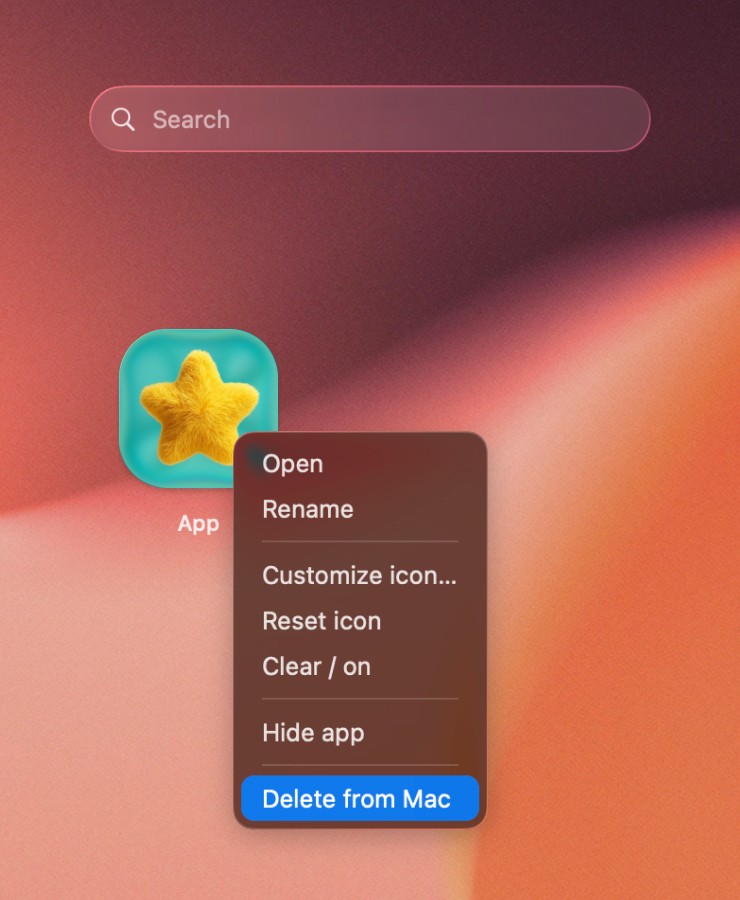
Clean Uninstall. Remove the app from Mac and clean leftover settings, cache, and related traces. Files will be moved to Trash so you can restore them later or completely delete.
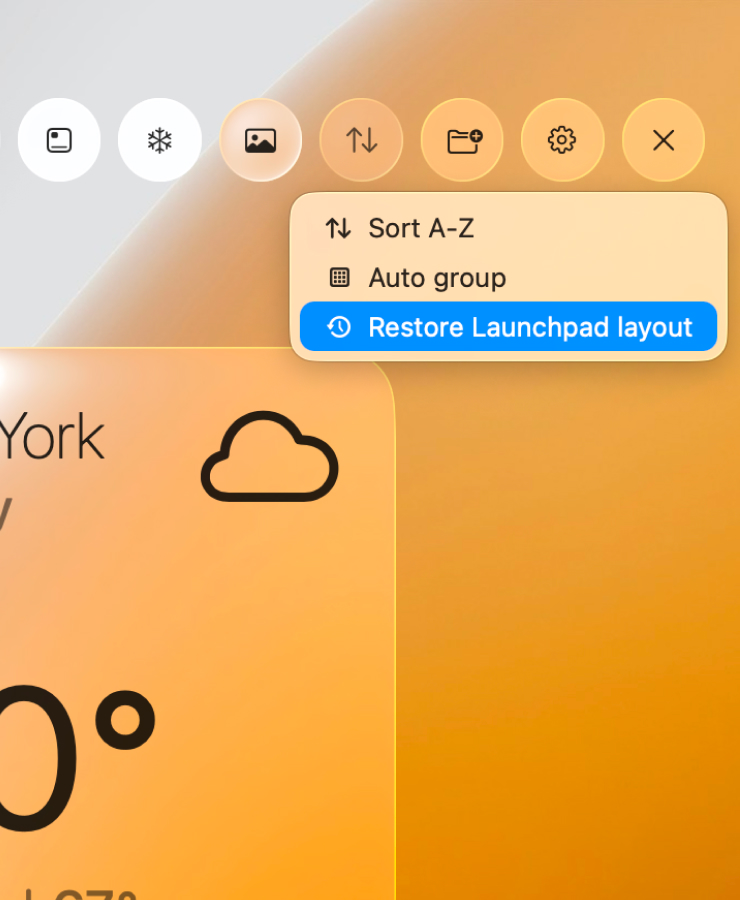
Smart sorting. Arrange apps by name, group in folders automaticaly, or restore your Launchpad layout.
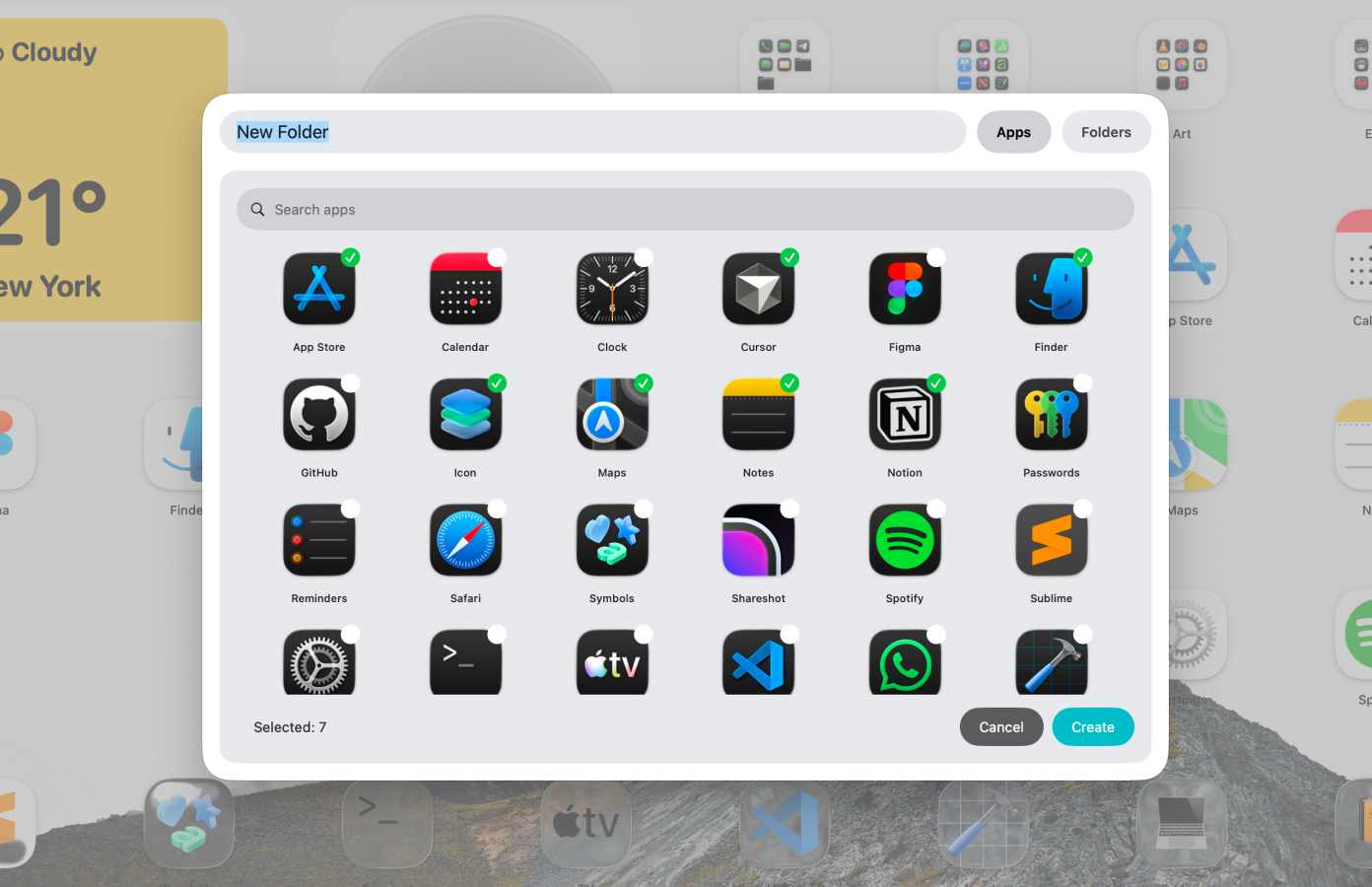
Folder batch creating. Choose apps you want to add to the new folder and add files from Finder. This is the fastest way to create folders witout moving apps one by one.
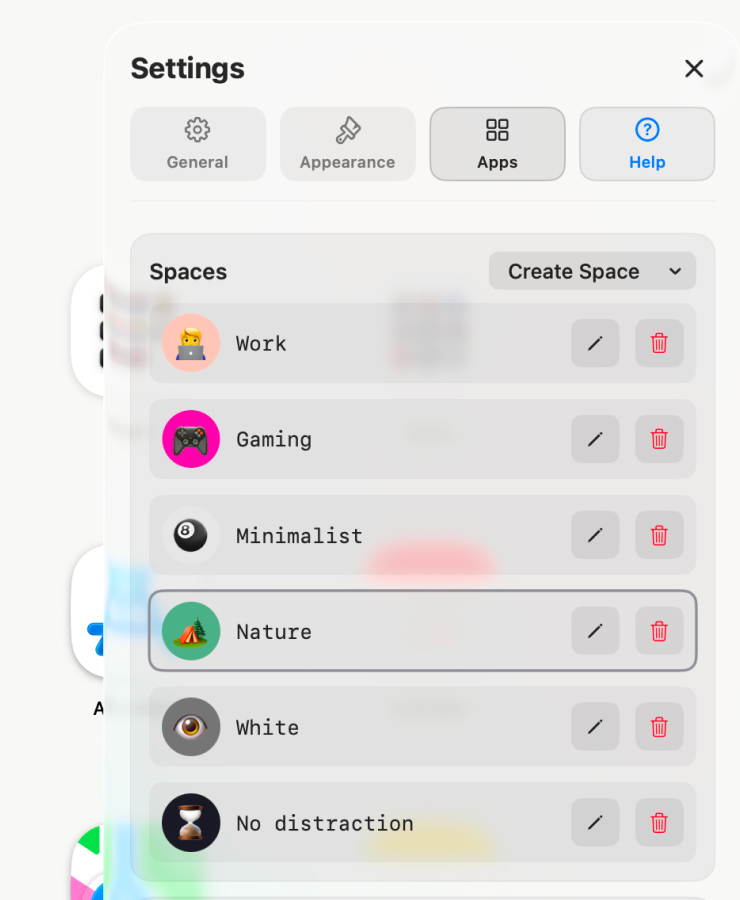
Spaces. Save layouts, widgets, wallpaper, icons and folders as presets, then switch between them in one shortcut or by schedule.
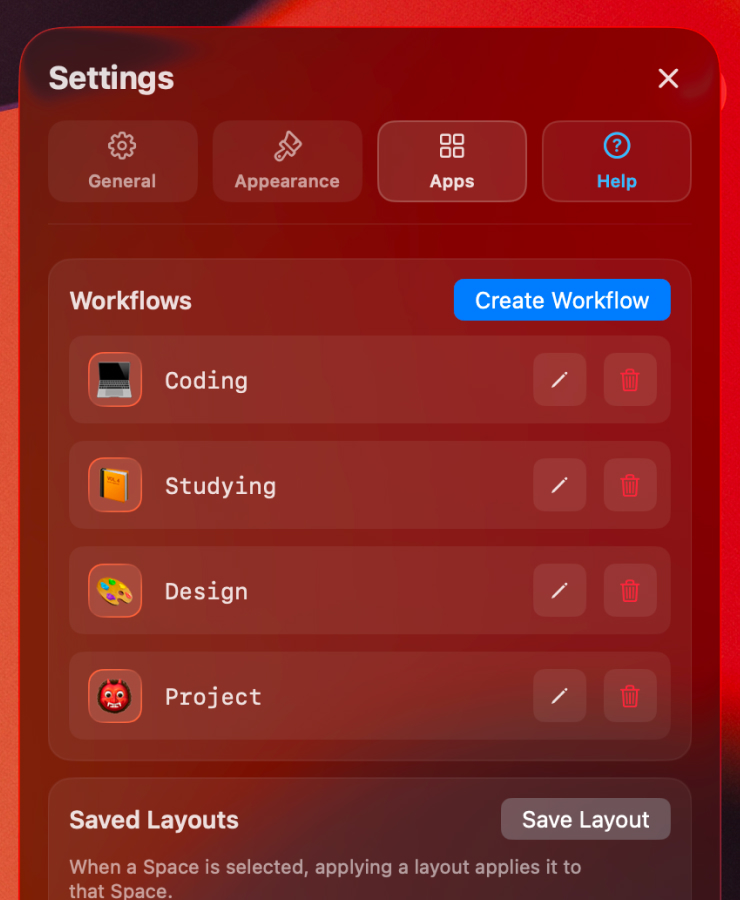
Workflows. Launch every app and file you need for a task with a single click.

For any aesthetic. You minimalist, gamer or love cute cozy customization? LaunchMe is here to be anything you want with unlimited ways to customize it.
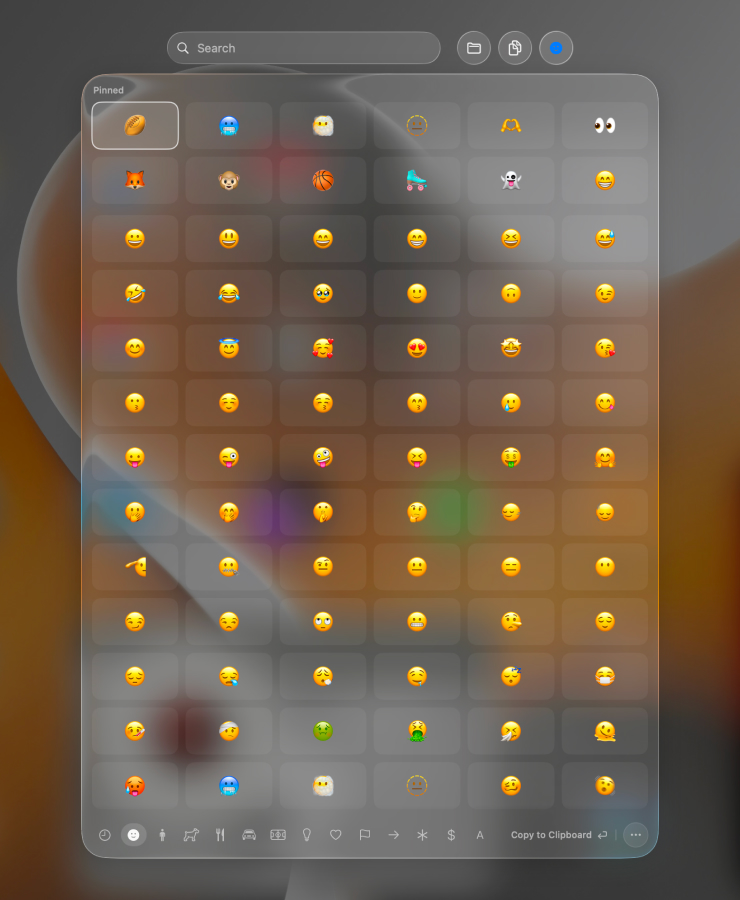
Emoji & Symbols. Fast access in Search bar to Emoji & Sumbols. Search, pin, find recently used.
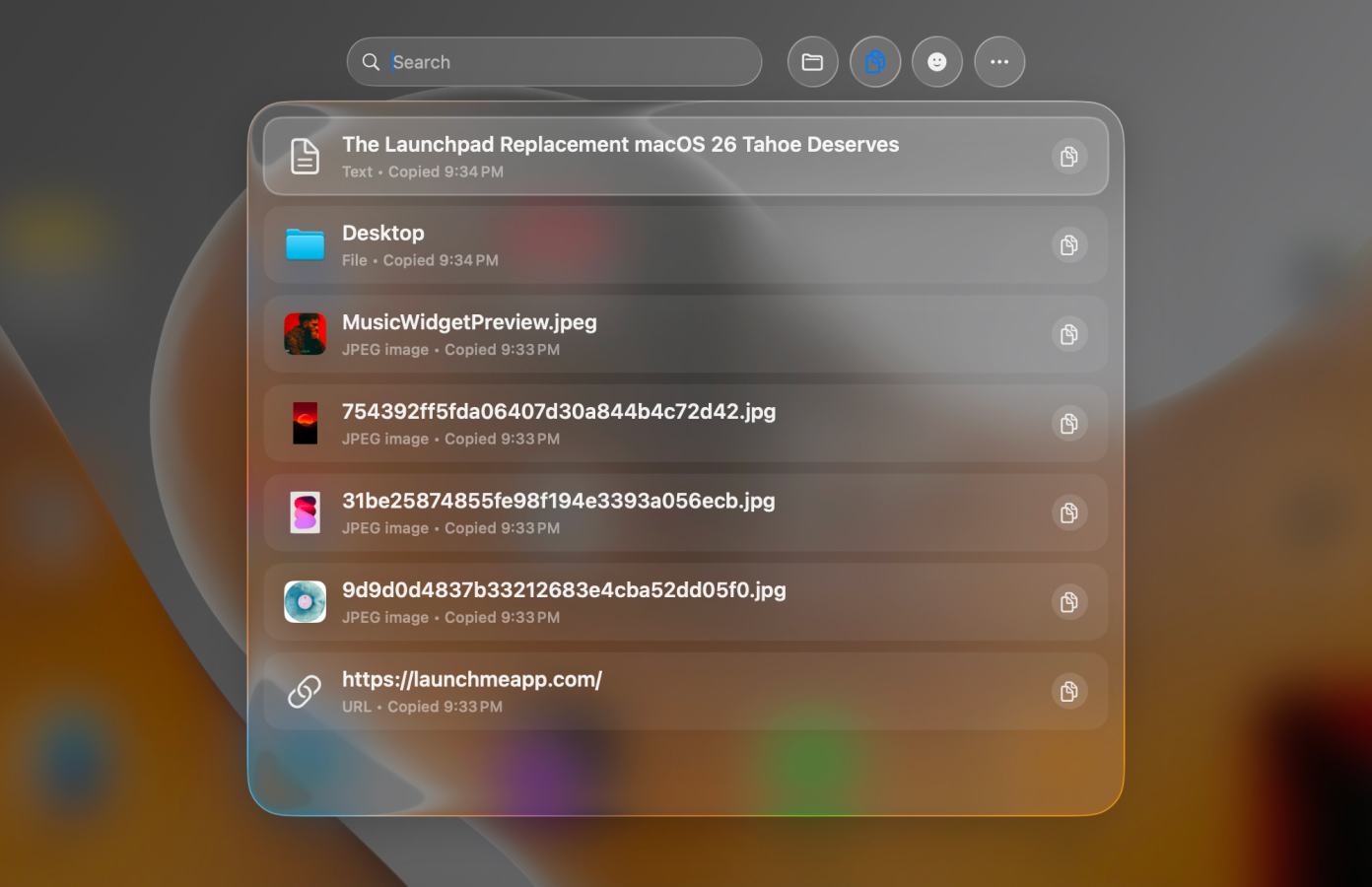
Clipboard. Jump back to anything you copied from text to files, folders and links - right from Search bar.
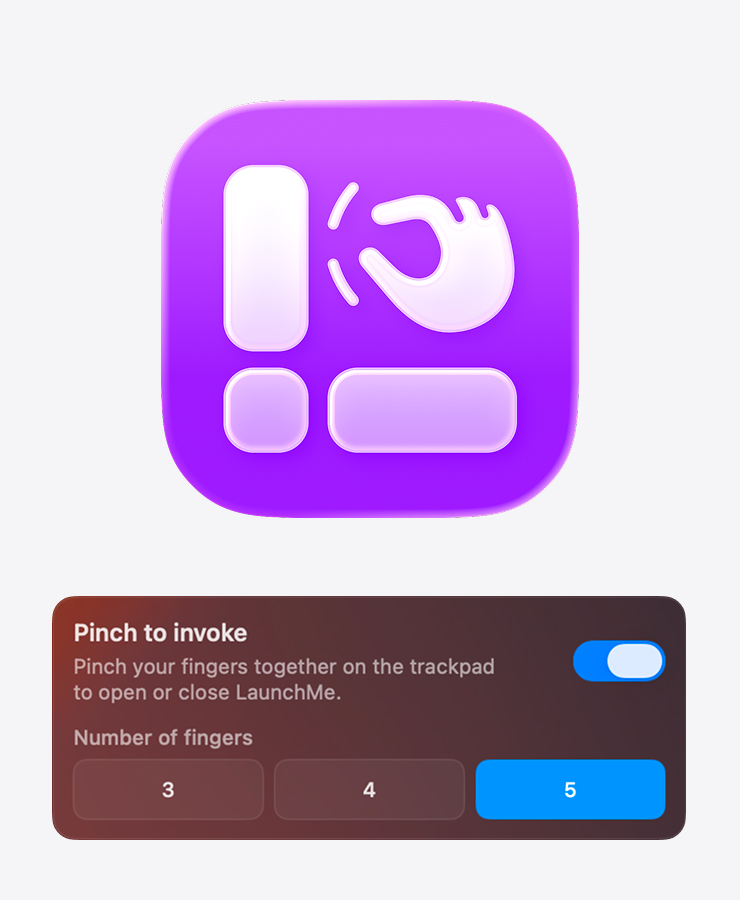
Trackpad gesture. Open LaunchMe with a pinch, just like the original Launchpad.
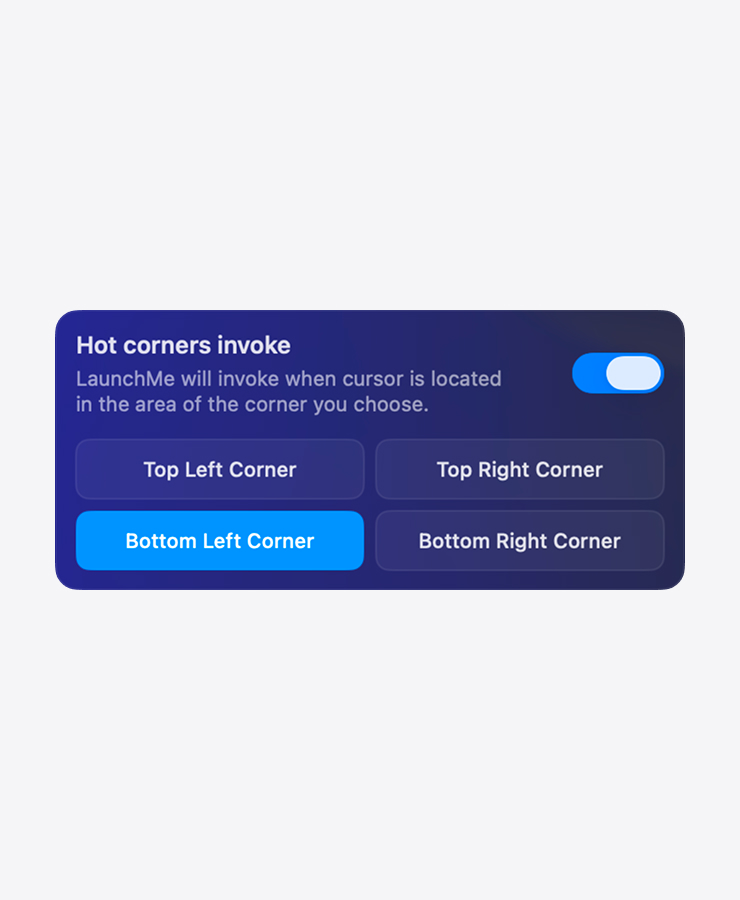
Hot corners. Flick to a screen corner to open your launcher instantly.
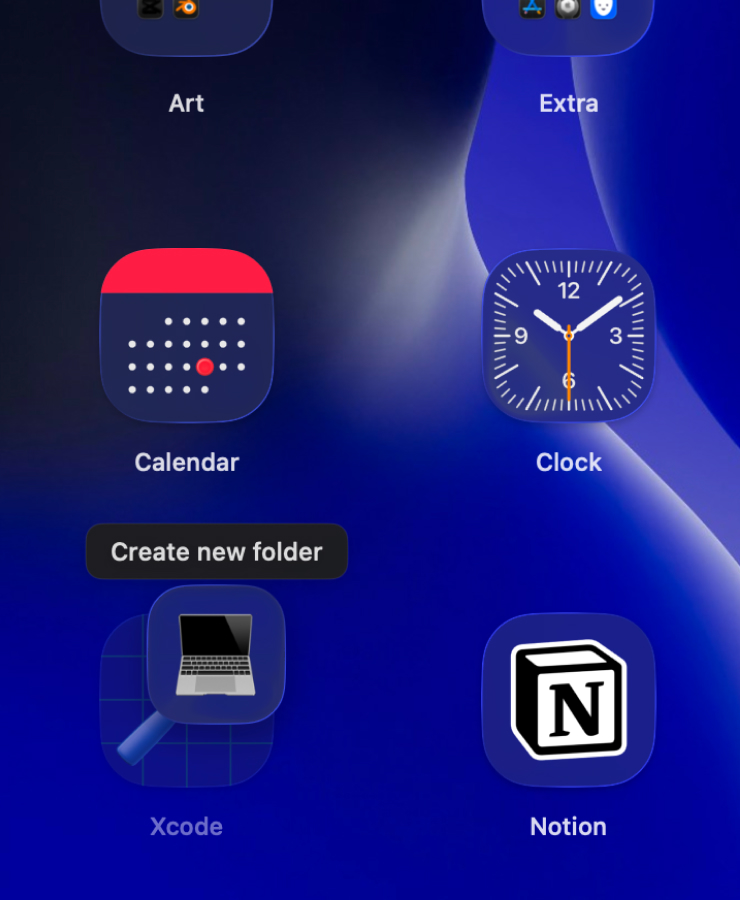
Folders. Just drag any app on top of another one to create a new folder. Works also with Workflows icons.
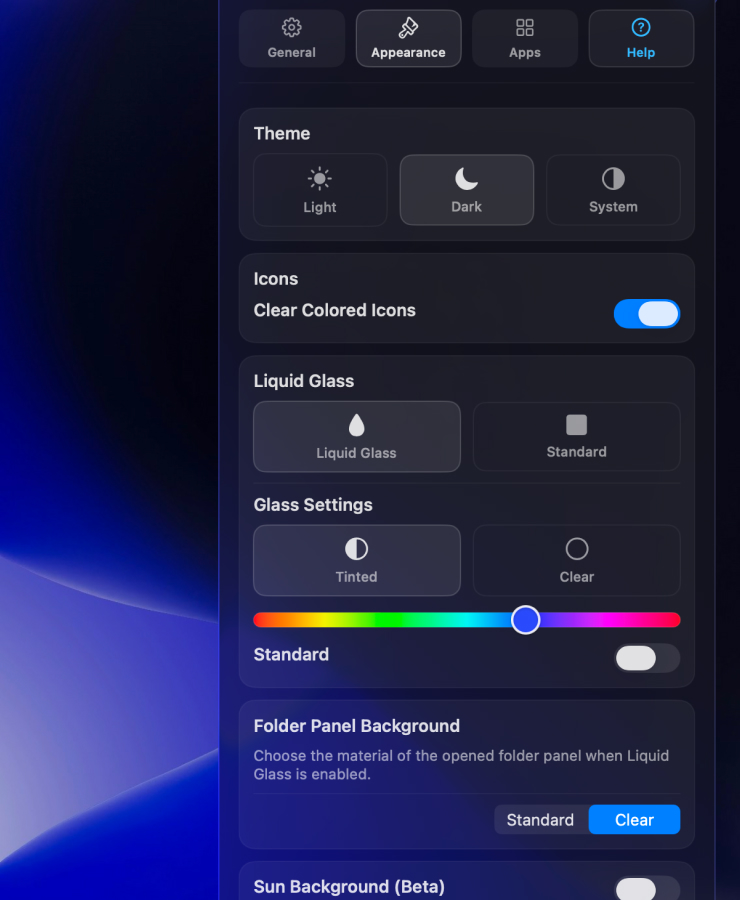
Liquid Glass. A unified glass look with clear, colored icons that you can customize with any color you want for whole interface.
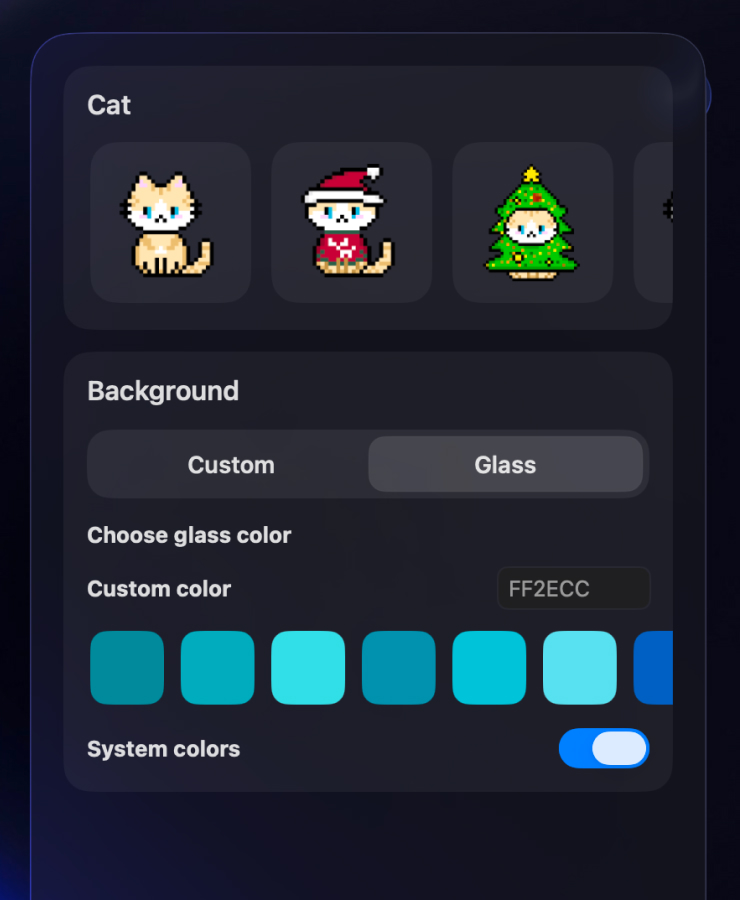
Animations. Widgets with cute cats animations. There will be more characters in future
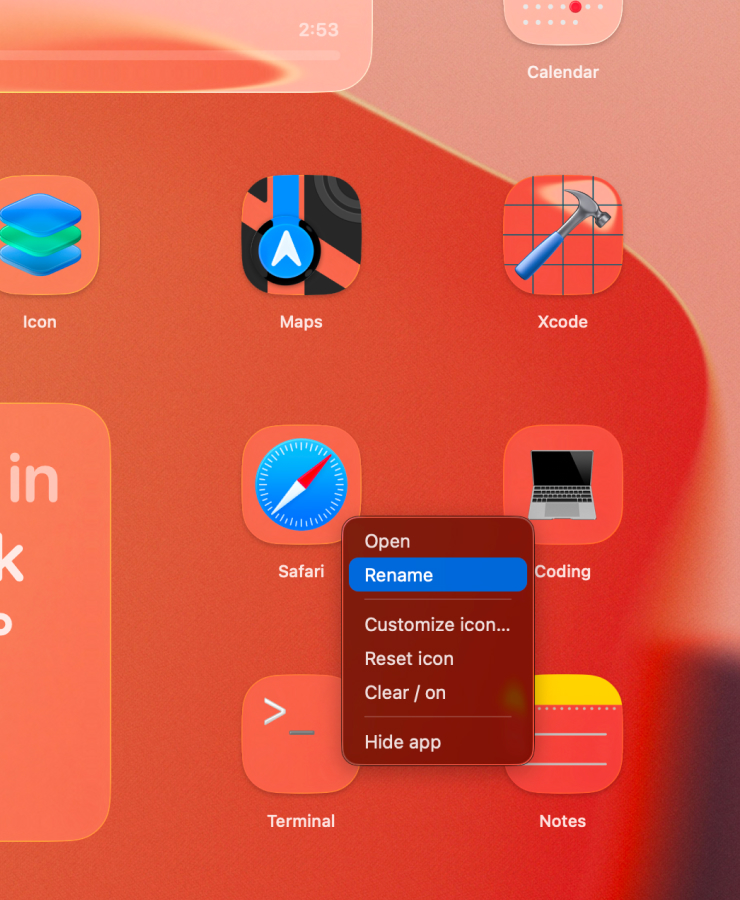
Rename apps. Give any app the name you want - your launcher, your labels.
LaunchMe Features
Everything you loved about Launchpad, plus live video wallpapers, widgets, file access, and deep customization — built for macOS 26 Tahoe.

Trackpad Gesture
Download here

Live Wallpaper
AVI, MP4, MOV, MKV

Widgets

Liquid Glass

Dynamic Wallpaper

Files Fast Access

Free Layout

Custom Icons
Change any icon

Hide Apps
Keep space clean

Custom Files & Folders

Clear Colored Icons
Glass + color

Categories Page

System App Icons
Tinted · Dark · Light

Custom Launch Shortcut
Your own hotkey

Hide Titles
Minimal look

System Dark/Light
Mode support

Full Screen Mode
Immersive launcher

Many Screens
Multi‑display support

Hot Corners
Free to use

Control Icon Size
Adjust grid size

Files Search
Copy, open and more

Clipboard
Text, files, links

Calculator
In search field

Extra App Sources
Scan apps anywhere

Spaces
Create presets

Workflows
Launch automations

Themes
Change manually

Sun Wallpaper
Dynamic by time

Weather Wallpaper
Real time in any city

Support
18 languages

iCloud Sync
Soon

Ask Ai
Soon

Rename apps

Emoji & Symbols
in search bar

Weather Widgets
8 Styles, 4 sizes

Music Widgets
Spotify & Apple Music
Supported Languages
LaunchMe supports interface localization in major global languages, helping users launch apps and organize workflows in their native language on macOS 26 Tahoe.
-
 English
-
 German
-
 Spanish
-
 Portuguese
-
 Turkish
-
 French
-
 Portuguese (Portugal)
-
 Korean
-
 Chinese
-
 Japanese
-
 Hindi
Hindi
-
 Russian
-
 Italian
-
 Vietnamese
-
 Indonesian
-
 Ukrainian
-
 Filipino
-
 Polish
FAQ
Yes. LaunchMe is built specifically as a Launchpad replacement for macOS 26 Tahoe. It restores the full-screen app launcher experience with more customization, file search, and folder support. Read our comparison with other launchers.
As macOS Tahoe removed the original Launchpad, but we loved it so much, we decided to create our own version of it - the way macOS deserves. It has customization options to let users make their workspace more inspiring and perfect for them. Also, you can group apps and folders for fast access to your files right from LaunchMe. Folders are also customizable, and you can set your own color, cover image, or emoji.
Download LaunchMe from the Mac App Store - it's easy. You can use it for free, or unlock full access with a subscription or a lifetime license.
Yes. You can use the 7-day Free Trial to try out LaunchMe PRO. Purchase LaunchMe PRO or LITE to unlock premium features.
In PRO, you will get access to all premium features of LaunchMe such as wallpapers, folder customization, hide apps, hide titles, Liquid Glass Theme, and many other features we will add in the future. LITE is made for users who don't need customization but want to support us and still get part of the premium features such as Liquid Glass, Hide Apps, and Hide Titles.
Yes, we have 3 types of wallpaper:
• Image: choose any image you want in .PNG or .JPG.
• Dynamic: this wallpaper will adapt to your current Dark/Light mode. Use .HEIC format.
• Live: set your video file in formats: MP4, MOV, AVI, MKV.
LaunchMe is optimized not to impact your system and uses minimal resources. When LaunchMe is hidden, it uses none of your resources and all processes are paused until you open the window.
Yes. LaunchMe will open a full-screen window on the monitor where your cursor is located. Make sure your cursor is not located on a display with another full-screen app.
No. You only need to be logged in to your Apple iCloud account on your Mac. Your subscription will be managed by Apple.
Yes. You can cancel anytime in the subscription manager of your Apple Account.
LaunchMe needs user permission to launch apps on your computer and read the Applications folder. LaunchMe does not collect any information from your computer. All information needed for LaunchMe to work (like apps or folder paths) is managed locally on your computer.
Yes! The gesture feature is a private macOS feature, and Apple does not allow us to use it in AppStore. But you can download our small free background app LaunchMe – Gestures that allows you to use trackpad to invoke LaunchMe. Learn more here
LaunchMe is the best replacement for Launchpad on macOS 26 Tahoe. When Apple removed Launchpad in macOS 26 Tahoe, LaunchMe was created to fill that gap with even more features than the original Launchpad had.
LaunchMe offers everything Launchpad had, plus:
- Customizable layouts - place apps exactly where you want
- Live video wallpapers (MP4, MOV, AVI, MKV) - something Launchpad never had
- Widgets support for customization inside the launcher
- Folder customization with colors, emoji, and cover images
- Custom app icons and system icon themes (Dark, Light, Tinted)
- Fast file access - organize apps and folders together in one launcher
- Multi-display support - works seamlessly across all your monitors
- Files Search, Copy files, Copy path, Delete, Preview or show in Finder
LaunchMe is available on the Mac App Store and works on macOS 26 Tahoe
Since Apple removed Launchpad in macOS 26 Tahoe, you can't get the original Launchpad back. However, LaunchMe provides a full replacement that works exactly like Launchpad, but with more customization options.
To get LaunchMe (Launchpad replacement):
- Download LaunchMe from the Mac App Store
- Open LaunchMe and set your preferred launch shortcut or use default combination
- Organize your apps and folders just like you did in Launchpad
- Customize wallpapers, icons, and layout to make it yours
LaunchMe opens in full-screen mode just like Launchpad did, and you can use it immediately after installation. It's free to use with basic features, and you can unlock premium features with a subscription or lifetime license.
Yes, LaunchMe is a customizable app launcher for Mac that supports both live wallpapers and widgets — features that the original macOS Launchpad never had.
Live Wallpapers: LaunchMe supports live video wallpapers in MP4, MOV, AVI, and MKV formats. You can set any video file as your launcher background, creating a dynamic and personalized experience. LaunchMe also supports static images (PNG, JPG) and dynamic wallpapers (HEIC) that adapt to your system's Dark/Light mode.
Widgets: LaunchMe includes widgets support, allowing you to add GIF, Photo, Shapes, Text, Animations, Calendar and more widgets in future.
Additional customization: Beyond wallpapers and widgets, LaunchMe lets you customize folder styles, app icons, icon sizes, layouts, and system icon themes. All of these features are available in LaunchMe PRO.
LaunchMe includes all the core functionality of the original macOS Launchpad, but adds significant customization and features that Launchpad never had.
What LaunchMe has that Launchpad had:
- Full-screen app launcher interface
- App organization and grouping
- Quick app access
- Multi-display support
What LaunchMe adds beyond Launchpad:
- Live video wallpapers - Set MP4, MOV, AVI, or MKV videos as backgrounds
- Widgets - Add widgets for quick information and actions
- Save layouts - Create different layout pressets you for different tasks
- Folder customization - Colors, emoji, cover images for folders
- Custom app icons - Change any app icon to match your style
- File access - Organize apps and files together in folders
- System icon themes - Dark, Light, or Tinted system icons
- Hide apps/titles - Keep your launcher minimal and clean
- Icon size control - Adjust grid size to fit your screen
- Liquid Glass theme - Modern glassmorphism design
- Easy access to your files - Files Search, Copy files, Copy path, Delete, Preview or show in Finder
- Clipboard - Easy access to history of copied files and text
Most importantly, LaunchMe works on macOS 26 Tahoe, where Launchpad was removed by Apple.
Guides & Articles
Learn how to get Launchpad back on macOS 26 Tahoe and compare LaunchMe with other app launchers.
Get LaunchMe
and launch apps like a pro
Download for macOS
